I wish that ao3 had an option to filter warnings (and tbh certain authors) out like I will never ever want to read it and just seeing it puts me off so much that often I end up closing my browser because that content upsets me so much lmao
There is a way to do this but I can’t recall how to do it. it’s something you type into the box for “other filters” or something, I don’t remember. who knows??
It’s not a great option, and I don’t know if you can sort out authors that way, but it’s better than nothing if someone can reblog this with how to do it!
Alrighty friends! It takes some specificity, but you can do this. Let me show you how!
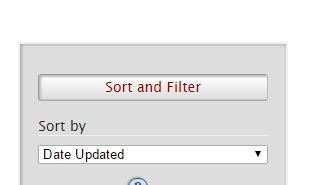
So I started with going to the Sherlock (TV) section of Ao3. On the right we find this lovely section! ((I know I’m going over things you already probably know, but I figure this post may go to new Ao3 users, so bear with me.))
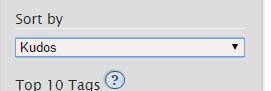
Underneath this, I chose sort by Kudos, because that’s a quick way to find most popular fics, for the sake of this demonstration.
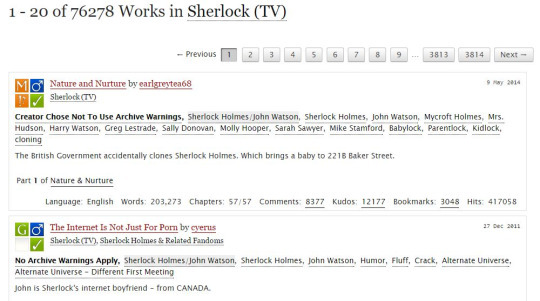
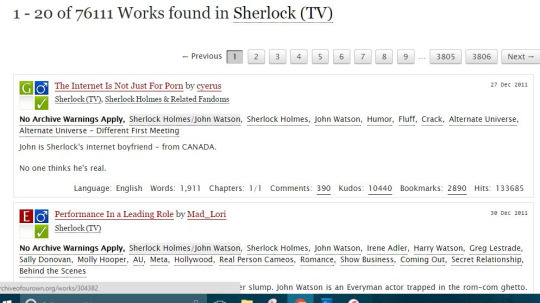
With those filters on, we end up with this being our first two results:
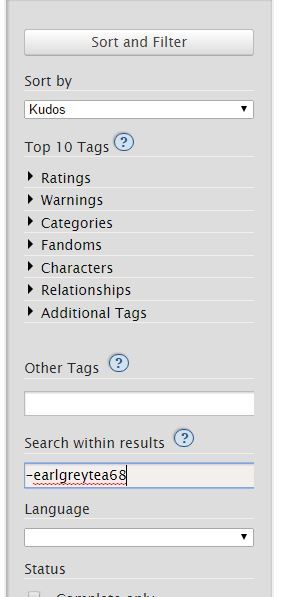
As you can see, we have Nature and Nurture by earlgreytea68, and The Internet Is Not Just For Porn by cyerus. So what if I am utterly sick of seeing earlgreytea68 on my list? Let’s pretend I’ve read all their fics, or that I just don’t like her, or whatever. I want this author out. I go to this section on the right:
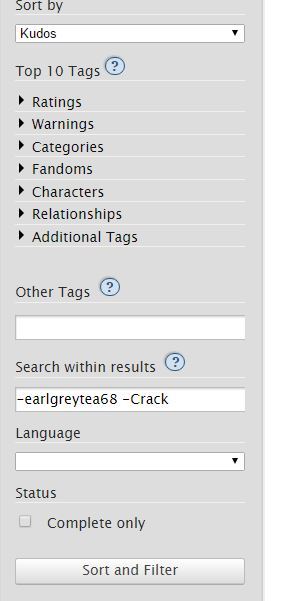
In “Search within results” I type earlgreytea68 into the bar, with a minus sign in front. This gives me the following page, upon hitting the sort and filter button:
There goes earlgreytea68! But now I’ve decided that Crack is just not my thing, I’m sick of that, too, for heaven’s sake, I want something reasonable in my gay slash fanfiction about detectives that solve crimes about glowing dogs and irish megalomaniacs. Heaven forbid this get ridiculous.
Well, then I add this to my search:
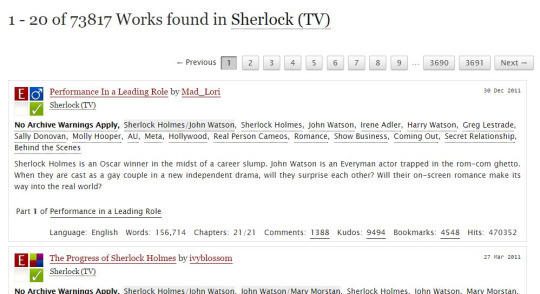
Which gets rid of everything with that tag. My results are now:
Performance in a Leading Role is now my first result!
You can do this as many times as you want; the biggest problem I have is trying to filter out multi-worded tags. For example, “Secret Relationship” is hard to filter. Better to go with authors you dislike or with words like “DubCon”.
I hope this helps! Also remember that googling site:archiveofourown.org and then adding search terms will mean google searches Ao3 for you, and sometimes that works far better.
Good luck!
An excellent in-depth guide! Thank you!!
omg changed my whole ao3 rarepair game
An excellent guide to filtering on AO3!
You can filter out phrases by enclosing them in quotes. For example, if ABO and Hydra Trash Party are not your things, try:
-“alpha/beta/omega dynamics” -”hydra trash party”
I have more advice!
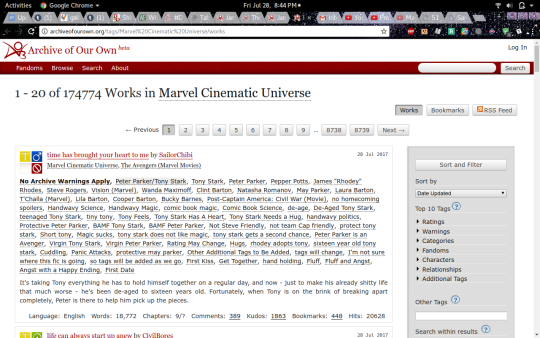
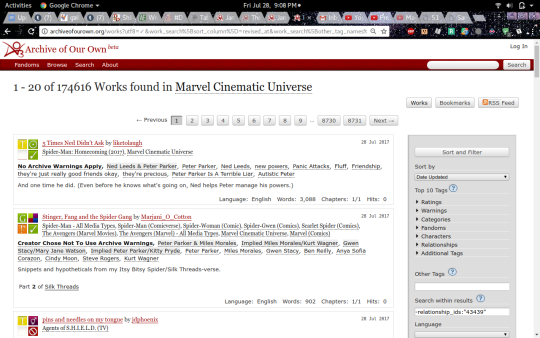
Say, you’re in your random fandom- I went with the Marvel Cinematic Universe, since I’ve been reading Iron Man stuff recently. Tony Stark is awesome.
But anyway, you’re on the page, and you see that there are 174,774 works! That is way too many for a casual afternoon’s browsing.
And you see that the first one is Peter Parker/Tony Stark and that is not your jam. It doesn’t work for you, or it squicks you, whatever. Wouldn’t life be easier if you could browse without seeing that pairing (or whatever pairing you don’t like)? You can!
First, click on that pairing tag(You may want to open this in another tab, actually.):
and it’ll take you to the page for that pairing tag. Click this button:
and then look at the address bar! The actual page is unimportant. Copy the numbers located here:
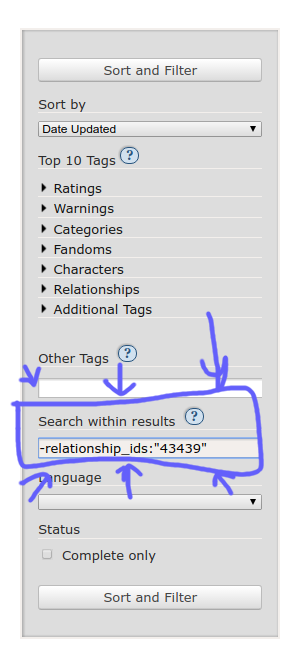
and go back to the original search page! Down on the side, in the same place you can get rid of other tags, type -relationship_ids:”the number you just copied”
Then hit ‘sort and filter’ annnd… magic!
The fics with that pairing are gone! You can also do multiple pairings, get rid of any tags you don’t like, and sort it by date or length or kudos, or whatever.
Enjoy.
AO3rdr is a Firefox, Chrome, and Opera extension that blacklists without you having to fill in the “search within results” field every time!



 🔥 There is beauty in destruction🔥